Download ZWCAD Mobile - DWG Viewer free on android
APK file ZWCAD Mobile 5.6.9How to install APK / APKS / OBB file on Android
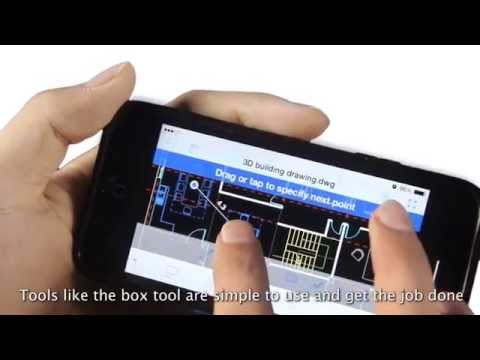

*ZWCAD Mobile is a free CAD viewing, drawing and sharing app developed by ZWSOFT. It integrates multiple functions including fast viewing and editing of DWG files, precise measurement, annotation, and printing. ZWCAD Mobile has been developed for nearly ten years. It enables you to view, edit and export drawings of multiple formats such as DWG, DWF, DXF and PDF. Plus, it has an abundant TTF font library, supports precise measurement (accuracy: 8 digits after the decimal point), and provides more than 100 functions, such as annotating, editing, snapping, layer layout and cloud drawing management.
*Trusted by 10 million users, including architects, engineers, construction professionals, field technicians and contractors. Whether it is mechanical drawing, electrical drawing, engineering construction, site survey or interior design, ZWCAD Mobile can handle all tasks easily.
--------View and Edit--------
ZWCAD Mobile supports editing DWG files and viewing DWF, DXF and PDF files.
Editing Tools:
Move, Copy, Rotate, Scale, Erase, Mirror, Align, Edit Text, Grip Edit, Block Attribute Edit.
Drawing Tools:
Circle, Polyline, Line, Rectangle, Arc, Text, Insert Block, Smartpen, Image.
Measuring Tools:
Aligned Dimension, Radial Dimension, Angular Dimension, Linear Dimension, Arc Length Dimension, Coordinate Dimension, Perimeter and Area, Distance, Coordinate Query.
View Mode:
2D and 3D views, Regen, Change Background Color.
Annotating Tools:
Revision Cloud, Brush, Text, Multi-image, SmartVoice.
Exporting Tools:
Export JPEG, PDF or DWF.
Text Search:
Search for text to quickly find the location.
Modeling Tools:
Switch between the Model space and any other Layout space that are included in your drawing.
Layering Tools:
Create, Rename, Change, Turn On/Off, Delete.
Coloring Tools:
Change the color of the object in the drawing.
Contact us:
tech@zwsoft.com
2. Fixed known issues
- LicenseFree
- File nameZWCAD Mobile
- File Version5.6.9
- Package namecom.ZWSoft.ZWCAD
- Size42.62 MB
- UploadedSeptember 24, 2026
- Android5.0 or later

- CategoryProductivity
- DeveloperZWSOFT CO., LTD.(Guangzhou)
- Developer sitehttp://www.cadpockets.com/
- Developer emailappmobile@zwcad.com
- md5 hash38e2a0b97d071dcef59b31d6729d46de
- Architecture-
- Permissionsshow (11)
